
Best AI tools for Faceless Youtube Channel in 2026
Table of Contents
ToggleStruggles as a video editor
Script writing
Step 1: Idea & Inspiration
The captivating line you say at the beginning is called a hook.
This ‘hook’ alone will decide the success of your video. As soon as a viewer clicks on the thumbnail and enters the video, you need to confirm in the first few seconds that the video is about what they came for. So develop powerful and engaging hooks for your video.
After the hook, jump straight into the content. Break your video into small sections. This will give you clarity and help the viewer understand.
Word-for-word scripting:
A lot of YouTubers ramble at the end of their videos with “subscribe” and “like” calls to action. That just annoys viewers. When your topic is finished, just end the video. If you want to use end screen cards, keep it simple:
If you liked this, check out this related video here. See you in the next video.
Now coming back to scripting writing tools,
There are currently some of the best tools available on the market. They are: ChatGPT, Claude 4, and Gemini.
ChatGpt
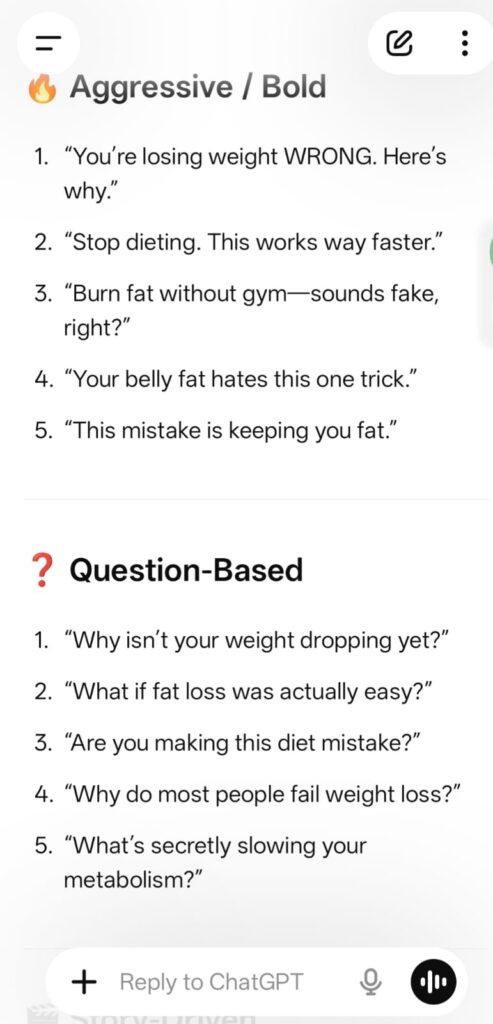
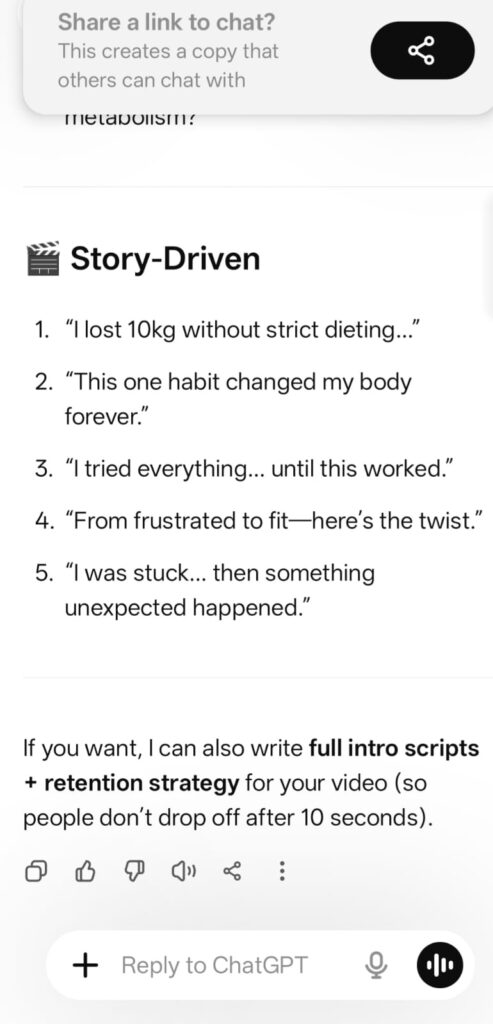
Can you write 5 high-energy hook lines for the first 5 seconds of the video?
Requirements:
- Use the ‘Curiosity Gap’ (make them wonder what happens next).
- Focus on a major pain point or a shocking result.
- Keep them short, punchy, and under 10 words each.
- Give me 3 different styles: one Aggressive/Bold, one Question-based, and one Story-driven.
the result?
I want to write a YouTube script using a storytelling approach. The topic is [ How to wake up at 5 AM].
Please write a script outline following this PAS (Problem-Agitation-Solution) structure:
The Problem: Start with a relatable story or a specific moment where this problem feels real.
The Agitation: Explain why this problem is ruining things. Describe the frustration, the missed opportunities, or the ‘pain’ of staying the same. Make the viewer feel like, ‘Yes, that’s exactly me!’
The Solution: Introduce the ‘Aha!’ moment. Give the step-by-step solution and explain how life looks better after solving it.
Tone: Conversational, engaging, and like a friend talking to a friend. Avoid robotic or formal language
Claude 4
This tool is very useful for coding. If you’re a software engineer, you can make great use of it for your coding work. It’s also very helpful for reading and understanding large documents.
Claude can read a large book or a hundred-page report in one go. It can handle that much information.
Another thing is… it provides very clear and direct answers. It really feels like a human wrote them when you read them.
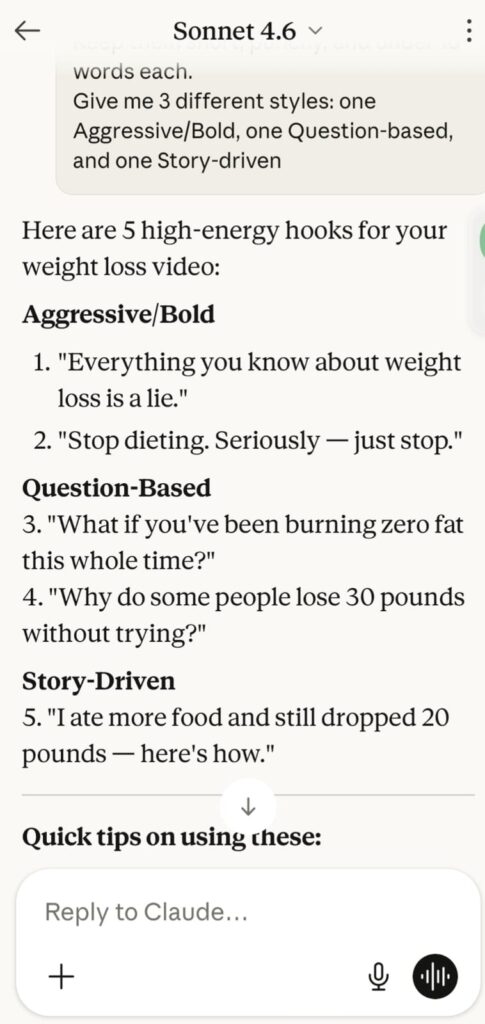
Okay, let me give the same prompt to Claude and see the results.
Google Gemini
Gemini has Google Search integration. You can use Google Gemini extensively for your research. I also use it a lot.
Use Gemini to do fact-checking. If you’re running a fact-checking channel or a news channel, you need to fact-check properly. Gemini will be very useful for that.
How to add human touch to your script
The AI’s writing sounds robotic. As I mentioned above, maintain your own tone:
Add any personal stories you have. Use words like “I once struggled like this too…” or “One of our friends did this and succeeded…”
Use engaging words. Sprinkle in phrases like “To be honest…”, “Here’s the real twist…”, or “Did you know?”
Use the simple language you use in your daily
Make sure your entire script sounds like your conversational tone. Use AI as a tool to help write the script, but add your own voice and feelings to it.