

Do you want to start a faceless YouTube channel but don’t know where to begin?
Do you have content ideas but don’t know how to implement them?
Then this article is made for you. Many YouTubers are starting faceless channels. You can also do it. Coming to AI-generated videos that are spread across social media, I wanted to share a funny experience with you.
At first, when I saw some random shorts on YouTube, I thought the people in them were real, but later I realised they were AI-generated.
Many people might feel like that when AI arrives.
You too?
Actually, you can also create such AI-generated videos and earn money
Do you still doubt that you can create AI videos and make money from them?
I know you might still have doubts.
Like
Will making videos with these AI tools work?
Will people watch them?
So for that
Let me tell you about a popular Instagram account created entirely with AI-generated videos. You’ll feel a bit more confident after you learn about it.
That is
On this page, you’ll see a monkey. Its name is Rio. When you see the stunts this monkey performs, you’ll be amazed. People have formed an emotional connection with this AI-created character.
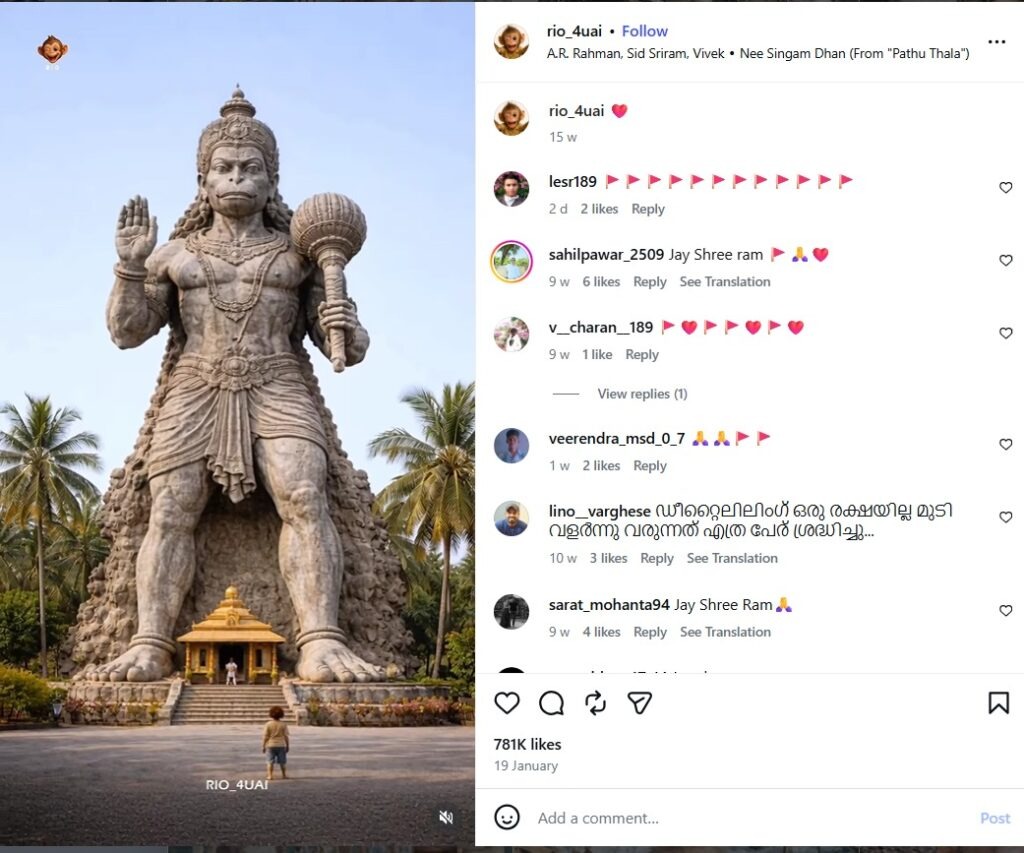
This page has about 1 million plus followers. In the future, this number might increase. As for how the creator who runs this page makes money, it’s through sponsorships. This creator charges hundreds of dollars for each sponsorship.
But when it comes to AI videos on YouTube, there are some regulations you need to follow. I’ll clarify what those are in detail in my article.
Struggles as a video editor
I used to work as a video editor at a company. Honestly, back then, the work felt very difficult for me. I mostly rely on ready-made stock images and videos. I had to search for them, then edit them again, write text, and give voice-overs. All of this used to take me a lot of time. But now AI tools are really working amazingly. These are not only helpful for YouTubers but also for all kinds of professionals. In this article, I will clearly explain the best AI tools for a faceless YouTube channel. You can also use these tools to attract high-paying clients for video editing and grow your freelance career.
YouTube Community Guidelines & Policies
Before starting your YouTube channel, where all the videos are created using AI tools, let’s look at these guidelines I’m going to share with you. According to YouTube’s community guidelines, if you are using AI to create videos with a realistic feel, you should disclose that the content is altered. For example, if you swap a real person’s face, clone a person’s voice, or show an incident that didn’t happen, you should definitely label that video. You can find the option to alter content in the details section when you upload a video. Enable this option. Monetisation: If your videos are mass-produced, repetitive, or low-effort AI-generated content, YouTube may flag them as inauthentic. To make your video eligible for monetisation, add your unique voice. You should also edit your video extensively. Privacy and Copyright
- Never use a real person’s voice or face without their consent. YouTube may remove your video, and you won’t be able to monetise it.
- Don’t recreate music using AI by imitating popular singers’ voices, as it may lead to copyright strikes.
Situations that do not need enabling labels
- When you create imaginary characters.
- When you use AI for editing your video.
If you don’t put a label on it, what will happen?
If you intentionally mislead viewers and present an AI video as a real video, YouTube may automatically place a label on your video. Your channel may receive strikes. There is a chance your monetisation could be suspended.
For more detailed information, click here.
Keep in mind that these guidelines might change over time, so keep checking official YouTube updates regularly.
Script writing and idea generation
Scriptwriting is mandatory for your YouTube video. For that, you need to have an engaging script to make your video go viral. Did you know? Videos from big YouTubers, political speeches, or product launch events from large companies like Apple are all scripted by someone. “What do you understand from this point?” Everyone definitely needs a script before a video presentation. Without a script, anyone would get nervous in front of the camera. Isn’t it? A good script determines whether the audience watches your video until the end or leaves in the middle. So, develop an engaging script that will keep your audience watching till the end.
Now coming back to scriptwriting tools,
There are currently some of the best tools available on the market for you: ChatGPT, Claude 4, and Gemini.
ChatGpt
We all know this tool, right? ChatGPT is one of the most popular AI tools in the world, with over 210 million daily active users. But the important thing is that you know how to use it properly. By giving the right prompt, you can easily create your video script. So, what is a prompt? In simple terms, a prompt is a set of instructions that you give to the AI. The better your prompt, the better the results you will get. After generating your script, refine it to sound natural and human-friendly. Now I’ll give ChatGPT a prompt to create hook lines for your introduction video. Let’s see the result. I am making a YouTube video about [weight loss].
Can you write 5 high-energy hook lines for the first 5 seconds of the video?
Requirements:
- Use the ‘Curiosity Gap’ (make them wonder what happens next).
- Focus on a major pain point or a shocking result.
- Keep them short, punchy, and under 10 words each.
- Give me 3 different styles: one Aggressive/Bold, one Question-based, and one Story-driven.
The result?
You can see multiple hook lines like this. Choose the best one based on your needs. The next step is storytelling. People love listening to stories; they keep people engaged and prevent boredom. So make sure your script feels like a story. Start by presenting the problem. Then explain the challenges caused by that problem. Finally, provide a clear solution. Structure your script in this way for better engagement. I’ll also provide a prompt for this.
I want to write a YouTube script using a storytelling approach. The topic is [How to wake up at 5 AM].
Please write a script outline following this PAS (Problem-Agitation-Solution) structure:
The Problem: Start with a relatable story or a specific moment where this problem feels real.
The Agitation: Explain why this problem is ruining things. Describe the frustration, the missed opportunities, or the ‘pain’ of staying the same. Make the viewer feel like, ‘Yes, that’s exactly me!’
The Solution: Introduce the ‘Aha!’ moment. Give the step-by-step solution and explain how life looks better after solving it.
Tone: Conversational, engaging, and like a friend talking to a friend. Avoid robotic or formal language
Note: Please provide the results you got through this prompt
Claude 4
This tool is very useful for coding. If you’re a software engineer, you can make great use of it for your coding tasks.
It’s also very helpful for reading and understanding large documents.
Claude can process a large book or a hundred-page report in one go. It can handle that much information.
One of the best things about this tool is that you can’t see any unnecessary AI fluff here. It provides straightforward answers.
It really feels like a human wrote them when you read them. So it is also helpful for your YouTube script writing.
Well, let me give the same prompt to Claude and see the results.
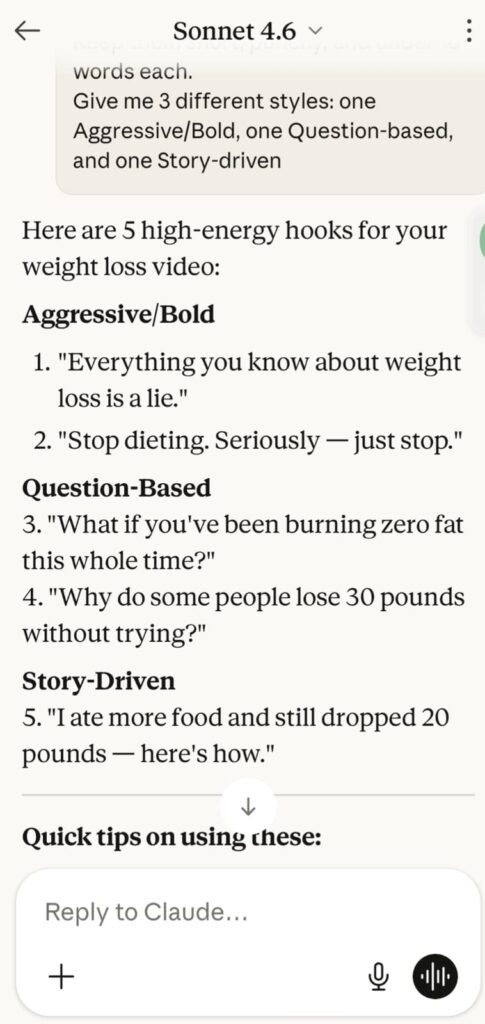
You could see direct answers here from Claude 4
Google Gemini
Gemini has Google Search integration, so you can use it extensively for your research. I personally use it a lot.
When it comes to fact-checking, Gemini is really helpful. If you’re running a facts or news channel, you need to verify information properly, and Gemini makes that much easier.
AI Tools for Voiceover
There are some popular AI tools in the market for audio generation.
I list a few tools below here.
Eleven labs
ElevenLabs is an amazing AI voice generator. You can add a realistic AI voice to your videos using your own voice. If you record and provide your own voice sample, it captures your tone and emotions very accurately. That’s the speciality of its voice cloning feature.
It has many features, including speech-to-speech. With this feature, you can capture the rhythm and emotions of your voice and convert it to another voice. Crazy, right! The voice doesn’t sound robotic at all.
This tool is very useful for your YouTube videos and Instagram Reels.
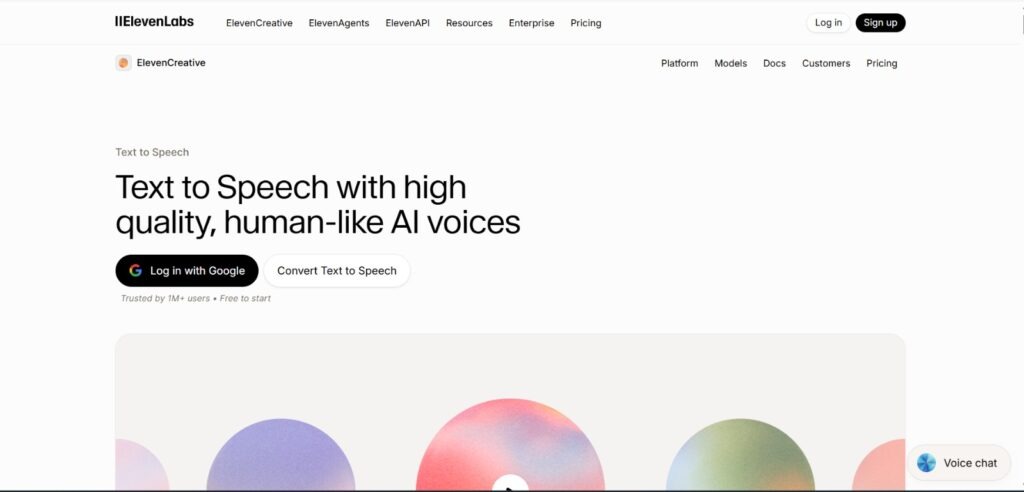
The interface looks like this:
Let’s see the popular features in Eleven Labs.
Text to Speech
As I mentioned above, it has a text-to-speech feature. You can convert your text into a very natural, human-like voice. Also, the v3 models have been newly introduced. With these, you can add whispering, shouting, and a range of emotions to the voice.
Voice Cloning:
Here, you can instantly clone your voice. In addition, you can also use professional voice cloning. For this, uploading a high-quality voice recording can help it replicate your voice accurately. As a result, you can create a cinema-quality voice clone and a perfect digital twin.
AI Dubbing
If you provide a video link, it will automatically dub it into another language without altering the original speaker’s tone or emotion.
ElevenLabs Studio 3.0
- This is a complete audio editor.
- Here, you can create voiceovers.
- You can generate new royalty-free background music with Eleven Music.
- You can also create different sound effects using text.
ElevenAgent
You can create interactive AI agents for businesses. These can talk with customers in real time via phone or chat, using a natural voice.
Scribe
It converts audio or video files into text with high accuracy.
Pricing
Now, let’s discuss pricing
Eleven Labs offers several pricing tiers based on the number of credits and the features included. Most paid plans include a 50% discount on the first month or 2 months free with annual billing.
1. Free Tier
Price:$0 / month
Characters: 10,000 per month (~10–15 minutes of audio).
Key Features: Access to high-quality voices, API access, and basic “Instant Voice Design.
2. Starter
Price: $5 / month
Characters: 30,000 per month (~30 minutes of audio).
Key Features: Commercial license included; instant voice cloning.
3. Creator
Price: $22 / month
Characters: 100,000 per month (~100 minutes of audio).
Key Features: Professional Voice Cloning.
For more details about pricing, click here
Lovo AI
Lovo is another voice-over tool similar to ElevenLabs. You can upload your own voice and assign different emotions to it. It includes over 20 different kinds of emotions.
For example:
- Hesitation
- Shouting
- Drunk
- Crying
It has 500+ voices and supports 100+ languages, including many Indian languages. Additionally, it has a large collection of serious voices suitable for professional ads and documentaries.
Let’s look at some popular features of Lovo.
Built-in Video Editor:
In Lovo, once you generate a voice, a timeline appears instantly. You can add stock videos, images, and background music to the same timeline to create a complete video.
AI Writer & Art:
It has an AI writer that can generate scripts for your topic, and you can also create images for your video using AI.
Voice Cloning:
Just like ElevenLabs, you can clone your voice here as well. You need to provide a voice sample, and it will then generate speech that sounds like you.
On Lovo.ai, you get video editing, control over emotions, and more, all in one place.
Now let’s see the pricing details
As of 2026, LOVO AI offers several pricing tiers. They frequently offer a 50% discount on annual billing, significantly reducing the monthly cost compared to month-to-month subscriptions.
1. Free Plan
Price: $0 / month.
Voice Generation: ~10–20 minutes total.
Key Features: Access to premium voices for testing, 1GB storage, and 1080p exports.
2. Basic
Price: ~$29/month Voice Generation: 2–3 hours per month.
Key Features: Full commercial rights, access to 500+ AI voices in 100+ languages, up to 5 voice clones, and hyper-realistic “Pro” voices.
3. Pro
Price: ~$48/month
Voice Generation: 10 hours per month.
Key Features: Unlimited voice cloning, AI-powered scriptwriting and image generation, priority queue for generation, and collaboration tools.
For more details about pricing, click here
Image Generation AI Tools
There are several popular image-generation AI tools available on the market.
Those are
Leonard AI
In Leonardo.ai, you can generate the image you love. It is a full-fledged design platform. In this tool, you can provide a text prompt to generate images. But you know that Google Gemini can generate images too. But the speciality of this AI tool is its ability to create highly realistic images. This tool is helpful for generating videos, game design, and content creation.
Key Features of Leonardo AI:
1. Text-to-Image & Image-to-Image:
As I mentioned above, it generates very high-quality, realistic images. But you need to develop a prompt that matches the image you require. It also has an ‘Image to Image’ feature that lets you convert one image style into another.
2. Custom Models & Fine-tuning:
If you have your own image, you can modify it however you like. You can also train a model for a specific style or character. There are many fine-tuned models available, including pre-trained models for styles such as anime, photorealistic images, game assets, and fantasy.
3. Leonardo AI Creative Suite:
It includes an AI Canvas, which is useful for image editing. My favourite feature is that it can perform outpainting and inpainting on your images. In outpainting, if you provide half an image, it guesses how it would look when expanded and renders it realistically. Inpainting makes the desired changes to your image. It also includes a Real-time Canvas feature, which generates images in real time as you draw. It also offers 3D textures that can be used to create shapes for gaming and 3D modelling. 4. Motion & Video Generation: This feature lets you turn static images into videos. This means you can add motion to your image.
5. Advanced Controls:
You can precisely control a person’s or a character’s pose using ControlNet. It helps improve your simple prompts and delivers more detailed results.
Alchemy is a premium feature. It significantly enhances image quality, clarity, and colours.
6. Other Features:
You get 150 credits every day as a first-time user. These can be used to generate images. It also has a community feature that lets you see images created by other users and the prompts they used.
Images created with Leonardo AI can be used for commercial purposes. These features make Leonardo AI very useful for designers, artists, and content creators like you and YouTubers.
Now let’s see pricing details.
As of 2026, Leonardo.ai offers a free tier and three primary paid subscription levels. Subscribing annually generally provides a 20% discount compared to monthly billing.
1. Free Plan
Price: $0/month
Tokens: 150 “Fast” tokens per day.
Key Features: Access to standard image generation and basic tools.
2. Apprentice
Price: $12 / month
Tokens: 8,500 per month.
Key Features:
- Commercial rights included.
- Private Generations.
- Custom Model Training:
Enhanced Quality
3. Artisan
Price: $30 / month
Tokens: 25,000 per month.
Key Features:
- Unlimited “Relaxed” Image Generation.
- API access for integrating Leonardo into other workflows.
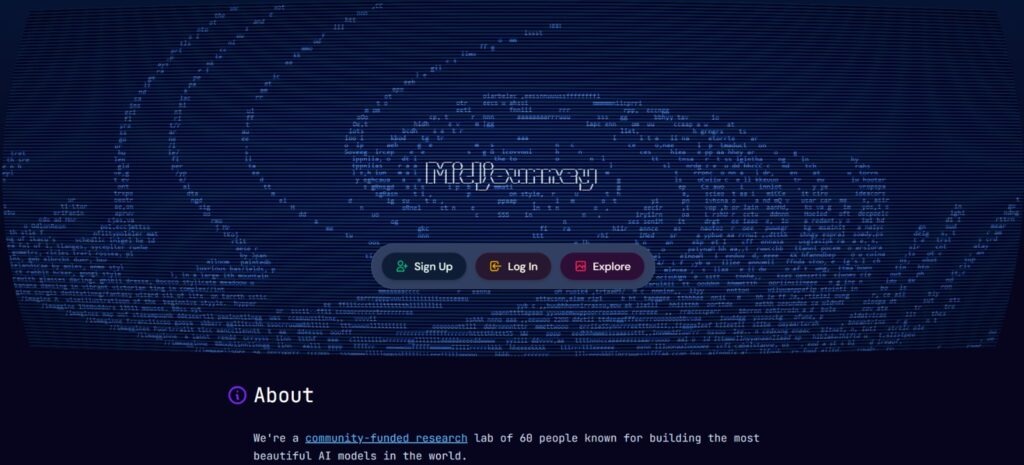
Midjourney
Midjourney is also an excellent AI image generation tool. Do you know how it actually works? It uses a diffusion-based generative model to create images.
What is this diffusion-based generative model, actually?
Let me explain clearly how it actually creates an image. Before creating the image, it starts with a noisy input image. A noise image is just a messy pattern of dots, like what you see when a TV signal goes out.
Then it gradually removes unnecessary noise, keeping only what matches your prompt. In this way, it creates the desired image in a very realistic manner. It understands the meaning of your prompt, converts it into a numerical “latent vector”, and guides the diffusion process.
Key Features and Capabilities
- It can convert text descriptions into four different image variations.
- You can control which AI version is used by adding “–v” to your prompt.
- It features Niji Model 6, specifically designed for anime and illustrative styles.
- It lets you enhance, extend, or edit specific parts of an image using features like Upscale, Vary, Region, Pan, and Zoom.
- It allows you to use “–sref” to apply the style of a reference image to your newly generated image.
- It lets you use “–cref” to maintain a character’s appearance consistently across images.
Pricing and Subscription
Midjourney does not have a permanent free trial. A paid subscription is required.
Basic Plan: Around $10/month (200 generations/month)
Standard Plan: Around $30/month (15 hours of fast GPU time + unlimited relaxed mode)
Pro Plan: Around $60/month (30 hours of fast GPU + stealth mode)
Mega Plan: Around $120/month (60 hours of fast GPU
For more details about pricing, click here
Video generation AI Tools
There are some popular AI tools available for video generation
Runway AI
Runway is an AI-powered creative suite. In my opinion, this is the best video-generation tool. It is particularly well-suited for those who want to create faceless YouTube channels.
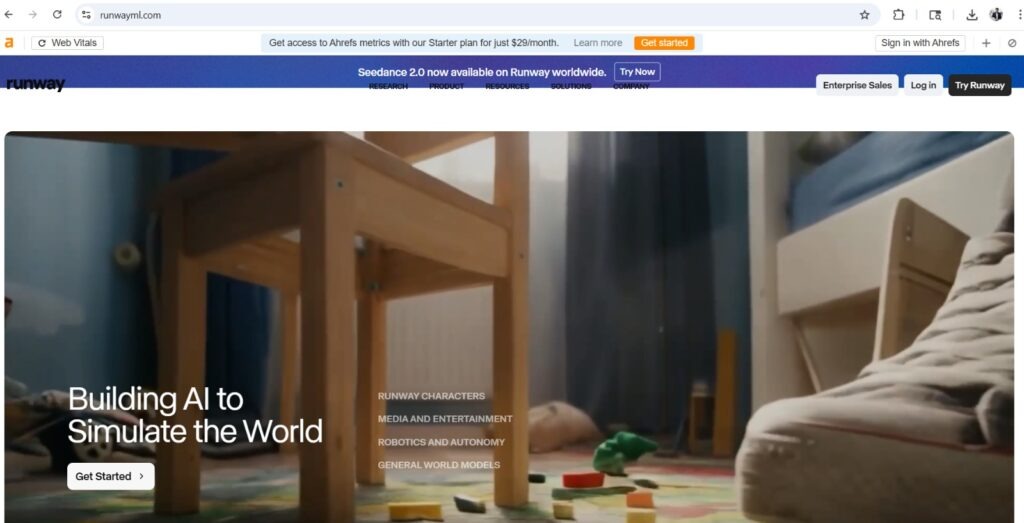
Key Features:
Gen-3 Alpha: The latest model from Runway. It creates high-quality videos.
Gen-2: You can create realistic videos from text prompts using this model.
Image to Video: Upload any photo, specify which part should move or what action should take place, and it will turn that photo into a video.
Video-to-Video: You can completely change a video’s style. This means you can convert a regular video into a sketch.
Editing Tools:
There are several magic tools available.
- The inpainting feature is available.
- The background can be removed and changed without a green screen.
You can erase specific areas in a video or image as if they were never there using the motion brush feature.
Runway AI Pricing (2026 Latest)
1. Free Plan
Price: $0
Credits: 125 one-time credits
2. Standard Plan
Price: $12 per user/month
Credits: 625 credits per month.
Key Benefits: No watermarks on exports, 4K video quality, 100GB storage, and access to more AI training tools.
3. Pro Plan
Price: $28 per user/month
Credits: 2,250 credits per month.
Key Benefits: Everything in Standard, plus 500GB storage, custom voice training, and higher-tier export options.
For more details about pricing, click here
Kling AI
Kling AI was developed by the Chinese tech company Kuaishou. It is a powerful video generation model. It can create very realistic videos from text prompts. Initially, it was only available to Chinese users, but a global version has now been released, so that we can use it too.
Key features
Do you know why Kling AI is so popular?
- You can generate videos up to two minutes long here. Other AI tools like Runway or Pika can only generate 3–4-second videos.
- With this, you can generate very smooth 1080p at 30 fps.
- You can set up realistic movements.
- Upload any photo, and it will turn it into a video.
How does it work?
It is based on a diffusion transformer architecture. It analyses every word in your prompt and creates visuals accordingly. Content creators can produce scenes for YouTube videos or short films at low cost.
Pricing
Let’s see pricing details.
As of April 2026, Kling AI uses a credit-based subscription model. Users can pay monthly or annually.
1. Free Tier
Price: $0/month
Credits: 66 daily credits.
Key Features: Basic video generation, 720p resolution.
2. Standard
Price: ~$10/month
Credits: 660 monthly credits.
Key Features:
- No watermark on generated content.
- 1080p high-definition video generation.
- Commercial rights included.
- Image upscaling and video extension tools.
3. Pro
Price: ~$37 / month
Credits: 3,000 monthly credits.
Key Features:
- Priority access to new models.
- Advanced tools like Professional Lip-Sync and Motion Brush.
- Fast-track generation.
- Ability to extend videos multiple times.
For more details about pricing, click here
AI tools for Video editing and thumbnails
Capcut
You can do professional video editing in CapCut. Many YouTubers and Instagram influencers use CapCut. It has many useful features.
Here are some of the most important ones:
Automatic Captions
Accurate subtitles are a must for YouTube videos. CapCut automatically generates captions for your voice, along with a variety of stylish fonts!
If you want to learn how to earn money just by creating subtitles for others, check out our detailed guide on How to Earn Money by Creating YouTube Subtitles
Background Removal
Don’t have a green screen? No problem! With CapCut’s AI feature, you can easily remove the background.
Trendy Effects and Filters
To make your YouTube Shorts go viral, you need great visual effects. For that, you can get tonnes of glitch effects, cinematic filters, and transitions for free.
Copyright-Free Music
The CapCut library has a lot of music and sound effects. With these, you can make your video more engaging.
How to start editing?
- First, upload your video clips to the app.
- Trim unnecessary parts.
- Add text at important points in the video.
- If you’re uncomfortable speaking directly to the camera, you can edit the video first and add a voice-over afterwards.
It also lets you export the video in 4K quality.
Canva
Canva is an extraordinary graphic design AI tool that’s really helpful for your faceless YouTube channel, especially for thumbnails.
If you want to turn this skill into a career, check out my guide on how to become a freelance thumbnail designer.
I have been using Canva Pro for one year, so I am very familiar with its features.
You can easily create any designs you want, from YouTube thumbnails to social media templates. Here, I’ll share the most useful features with you.
Drag and Drop Editor
You can drag and drop elements to create the design you want in Canva.
Ready-made Templates
It has many pre-designed templates. You can select the type of design you need, such as:
- Instagram posts,
- YouTube thumbnails,
- Resumes, business cards
Magic Studio
It includes many AI-powered features
Magic Eraser: Remove unwanted objects from a photo.
Magic Switch: Resize a design to a different size with a single click.
Text to Image: Type what you want, and the AI will create photos based on your text.
Brand Kit
Let’s say you’re running a business; you’ll have fixed colours, logos, and fonts. You can save all of them in the ‘Brand Kit’. This ensures all your designs have a consistent style.
Background Remover
You can remove a photo’s background with a single click. This feature is available on the pro plan and is very useful.
Video Editing
In addition to photos, you can also edit short reels and videos in it. Adding audio files and transitions is very easy.
Collaboration
You and your team members can work on the same design simultaneously. When you make changes, they are immediately visible to others. It’s just like Google Docs.
Content Planner
Instead of downloading your design and posting it to social media, you can schedule it directly from Canva. You can plan in advance which post goes out on which day.
AI is changing the way we work and earn. If you want to explore more opportunities beyond YouTube, check out my complete list of the best AI tools for side hustles in 2026 to boost your income.

Leave a Reply